Recognizing Fraudulent Payment Gateways on Checkout Pages
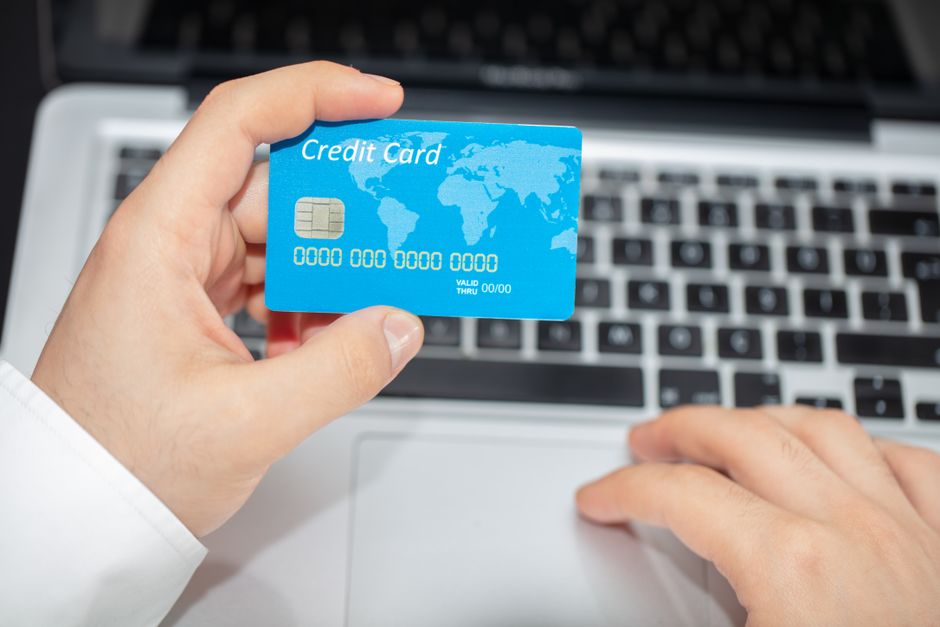
When completing an online purchase, the checkout page serves as the final point of contact between a buyer and a merchant. This is where sensitive financial information, such as card details, is entered and transmitted. Because of the high value of this data, fraudulent actors often attempt to mimic legitimate payment gateways to intercept it. Recognizing the signs of a fraudulent payment gateway is an essential skill for any online shopper concerned about financial safety.
Fraudulent payment gateways can appear convincing, often replicating the design and branding of well-known processors. However, certain inconsistencies and red flags can help distinguish a genuine gateway from a deceptive one. This article outlines common indicators of fraud and provides a structured approach to verifying a gateway’s legitimacy before any card details are submitted.
It is important to note that no single sign guarantees fraud, and the absence of warning signs does not guarantee legitimacy. Verification is a cumulative process that relies on multiple observations. The information presented here is intended for educational purposes and should be considered alongside professional advice when making security decisions.
Common Indicators of a Fraudulent Payment Gateway
Fraudulent payment gateways often exhibit subtle but detectable irregularities. These may relate to the visual presentation of the checkout page, the behavior of the payment form, or the communication patterns of the site. Recognizing these indicators requires attention to detail and a basic understanding of how legitimate payment processes typically function.
One frequent sign is the absence of recognized security seals or their improper display. Legitimate gateways often display trust badges, such as those from the PCI Security Standards Council, but these can be easily copied. A fraudulent site might display such badges without proper linking to verification pages or might use outdated or low-resolution images. Similarly, the checkout page may lack an HTTPS connection or show a certificate warning, although some sophisticated fraudsters now use valid certificates.
Another indicator is unusual payment form behavior. For instance, the form may request excessive information not typically required for a standard transaction, such as a full Social Security number or a copy of an ID, without clear justification. The form may also disable common browser security features or prevent the user from viewing the page source. Additionally, if the checkout page redirects to a different domain during the payment process, this could signal a handoff to a fraudulent processor.
Communication patterns can also reveal fraud. Fraudulent gateways may send poorly written confirmation emails with grammatical errors or generic greetings. They might lack a clear privacy policy or terms of service, or provide contact information that is invalid or unresponsive. These elements, when combined, can paint a picture of a non-legitimate operation.
Verifying the Legitimacy of a Payment Gateway
Verification is a proactive step that can be taken before entering any card details. It involves checking the credentials of the payment processor and the merchant, as well as examining the technical and legal aspects of the checkout page. A systematic approach can help reduce the risk of interacting with a fraudulent gateway.
Start by examining the URL of the checkout page. Legitimate payment gateways often use a domain that is clearly associated with a known processor, such as paypal.com or stripe.com, or they may use a subdomain of the merchant’s site. Be cautious of URLs that contain misspellings, extra hyphens, or unusual top-level domains. Additionally, look for the padlock icon in the browser’s address bar, which indicates an encrypted connection, though this alone is not sufficient proof of legitimacy.
Next, research the payment processor. If the gateway is not immediately recognizable, search for reviews and reports from other users. Legitimate processors typically have a history of operations, customer support channels, and public information available. You can also check if the processor is listed as a registered payment facilitator with relevant authorities or industry bodies. For example, in the United States, payment processors may be registered with the Financial Crimes Enforcement Network (FinCEN) as money services businesses.
Examine the merchant’s website for consistency. A legitimate merchant will have a professional website with clear contact information, a physical address, and a customer service phone number. They should also have a privacy policy and terms of service that detail how payment information is handled. If the merchant is unfamiliar, consider checking their business registration or looking for third-party reviews. Tools and services, such as SecurePay Guardian, may offer resources to help verify payment gateway legitimacy, though individual research remains important.
Finally, consider the payment methods offered. Fraudulent gateways may only accept less traceable methods, such as gift cards or cryptocurrency, while legitimate processors typically offer a range of standard options like credit cards, debit cards, and digital wallets. If the checkout page only accepts one unusual method, this could be a red flag.
Technical and Behavioral Red Flags
Beyond visual and informational cues, certain technical and behavioral red flags can indicate a fraudulent payment gateway. These may be less obvious to the average user but can provide strong evidence of a non-legitimate operation.
One technical red flag is the presence of obfuscated or minified JavaScript that is not typical for a checkout page. While many legitimate sites use minification for performance, excessive obfuscation or the inclusion of scripts from unknown domains can be suspicious. You can inspect the page source or use browser developer tools to check for such anomalies, though this requires some technical knowledge.
Another behavioral red flag is the pressure to complete the transaction quickly. Fraudulent sites may use countdown timers, limited-time offers, or warnings that the cart will expire to create a sense of urgency. This tactic aims to bypass rational verification steps. Legitimate merchants may also use such marketing techniques, but they are more common in fraudulent contexts when combined with other signs.
Additionally, pay attention to the language and design quality of the checkout page. Poor grammar, spelling errors, and inconsistent branding are often hallmarks of fraudulent sites. However, some sophisticated fraudsters invest in high-quality design, so these signs should be considered alongside others. A mismatch between the merchant’s main website and the checkout page in terms of design, language, or branding can also be a warning sign.
Steps to Take Before Entering Card Details
Before entering any card details on a checkout page, it is advisable to follow a series of verification steps. These steps are designed to gather sufficient information to make an informed judgment about the gateway’s legitimacy. They are not foolproof, but they can help reduce exposure to fraud.
Begin by pausing and reviewing the checkout page as a whole. Check for the indicators mentioned earlier, such as the presence of security seals, the URL, and the professionalism of the design. If any red flags are present, consider abandoning the transaction and seeking alternative merchants. It is generally safer to err on the side of caution when financial information is at stake.
Next, verify the merchant’s identity and reputation independently. Search for the merchant’s name along with terms like “scam” or “reviews” to see if other users have reported issues. You can also check with consumer protection agencies or business bureaus. If the merchant is a well-known brand, ensure that the checkout page is hosted on their official domain or a trusted payment processor’s domain.
Consider using a virtual credit card or a payment service that adds a layer of protection. Many banks and financial institutions offer virtual card numbers that can be used for online transactions, limiting exposure of the primary card details. Alternatively, using a reputable payment service like PayPal or a digital wallet can provide additional security, as the merchant does not receive your card details directly.
Finally, trust your instincts. If something feels off about the checkout page, it is reasonable to stop the transaction. Fraudulent gateways often rely on users ignoring subtle discomfort. Taking the time to verify can help protect your financial information and contribute to a safer online shopping experience.